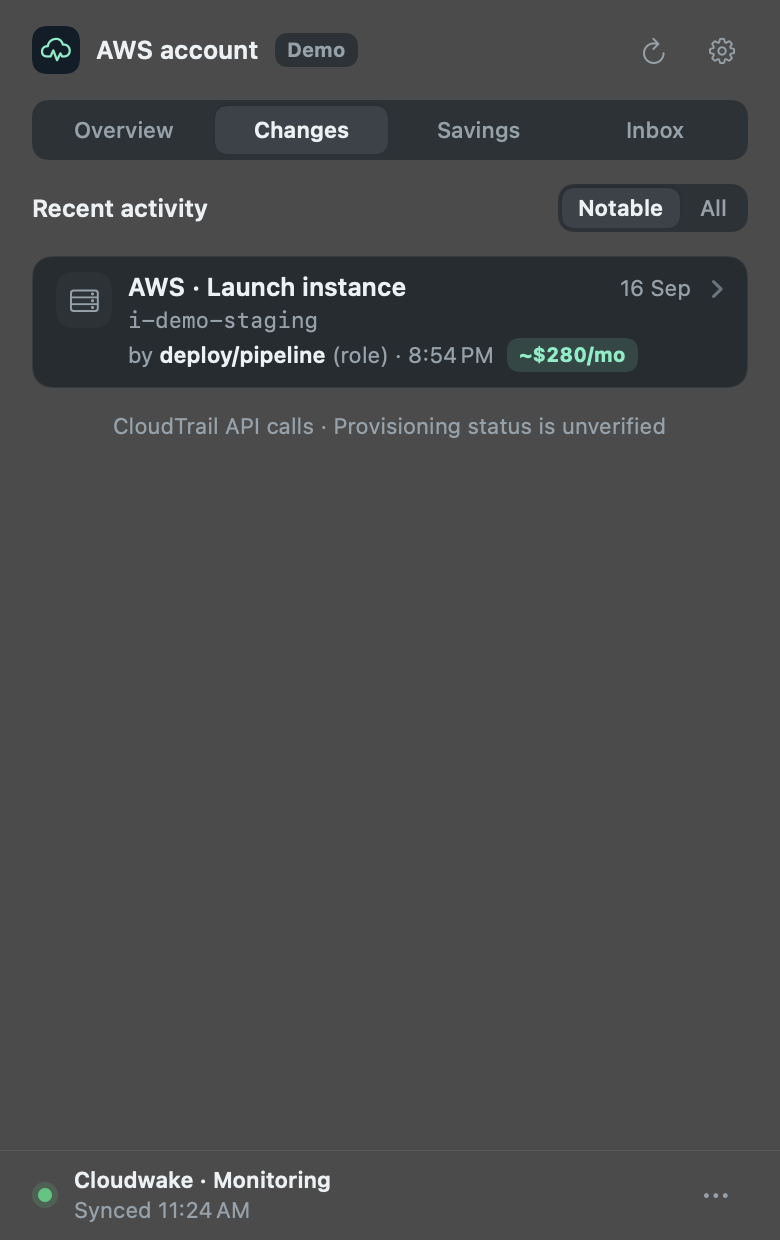
See who launched what.
Cloudwake reads CloudTrail and lists each new resource with the AWS identity behind it. When a deploy pipeline launched it, you see the pipeline’s role.
Cloudwake keeps your AWS spend in your Mac’s menu bar. See who launched what, what it costs, and what’s sitting idle while there’s still time to act.
brew tap pratik-mahalle/tap
brew install --cask pratik-mahalle/tap/cloudwake
Free for one AWS account, on Apple silicon Macs with macOS 13 or later. Connect AWS on first launch. macOS installation notes
v1.3.0 is live. Meet Cloudwake Pro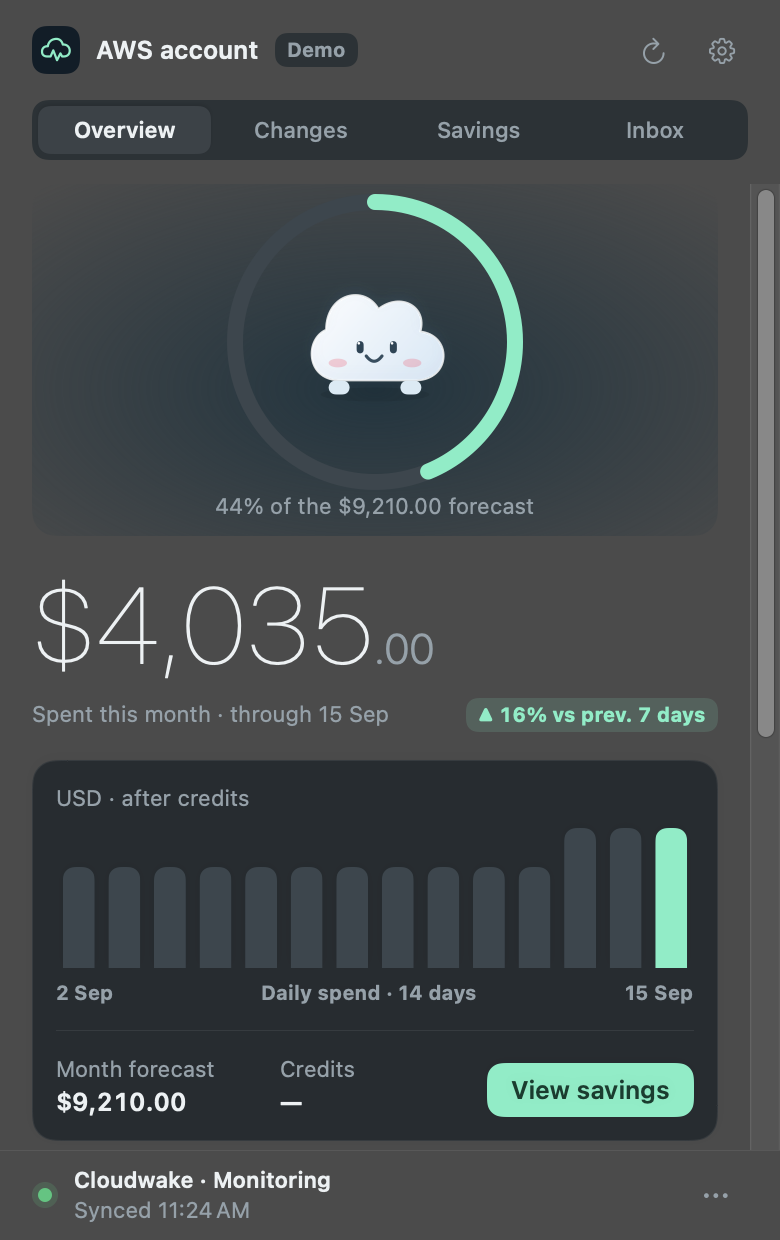
Cloudwake reads CloudTrail and lists each new resource with the AWS identity behind it. When a deploy pipeline launched it, you see the pipeline’s role.
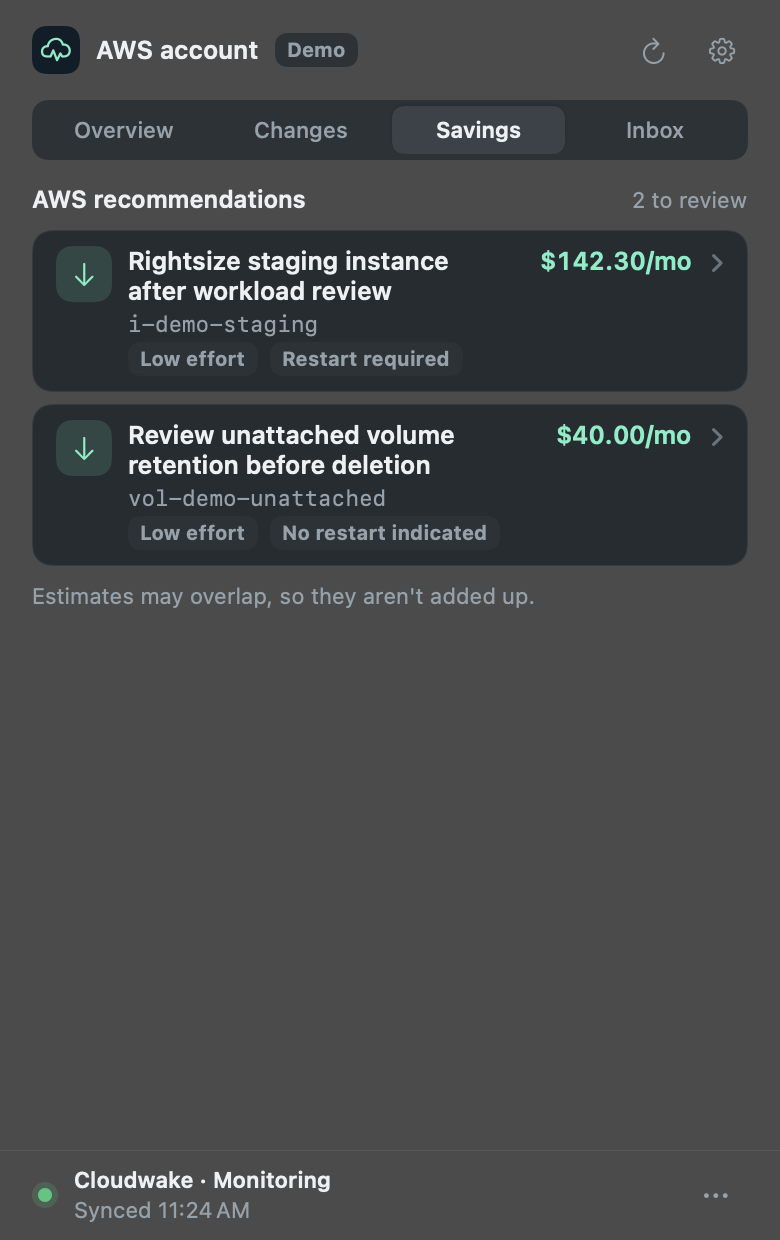
Unattached volumes and AWS savings recommendations, each with its estimated monthly saving. You decide what goes; Cloudwake never stops or deletes anything.
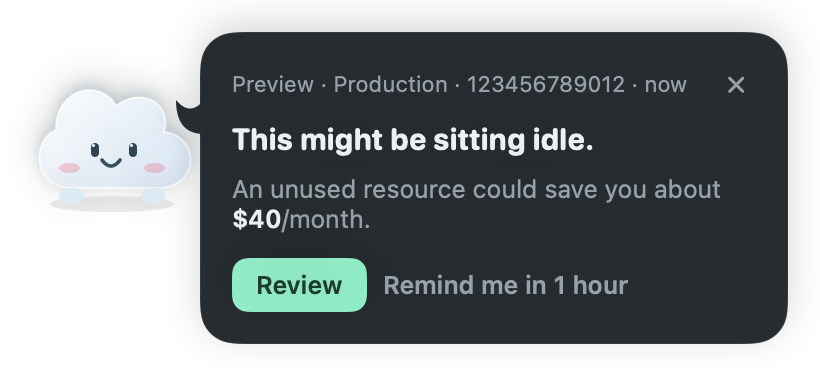
When a resource looks unused, or the forecast passes a budget you set, a small cloud taps you on the shoulder. Every alert waits in the inbox, and on Pro it reaches your team in Slack.
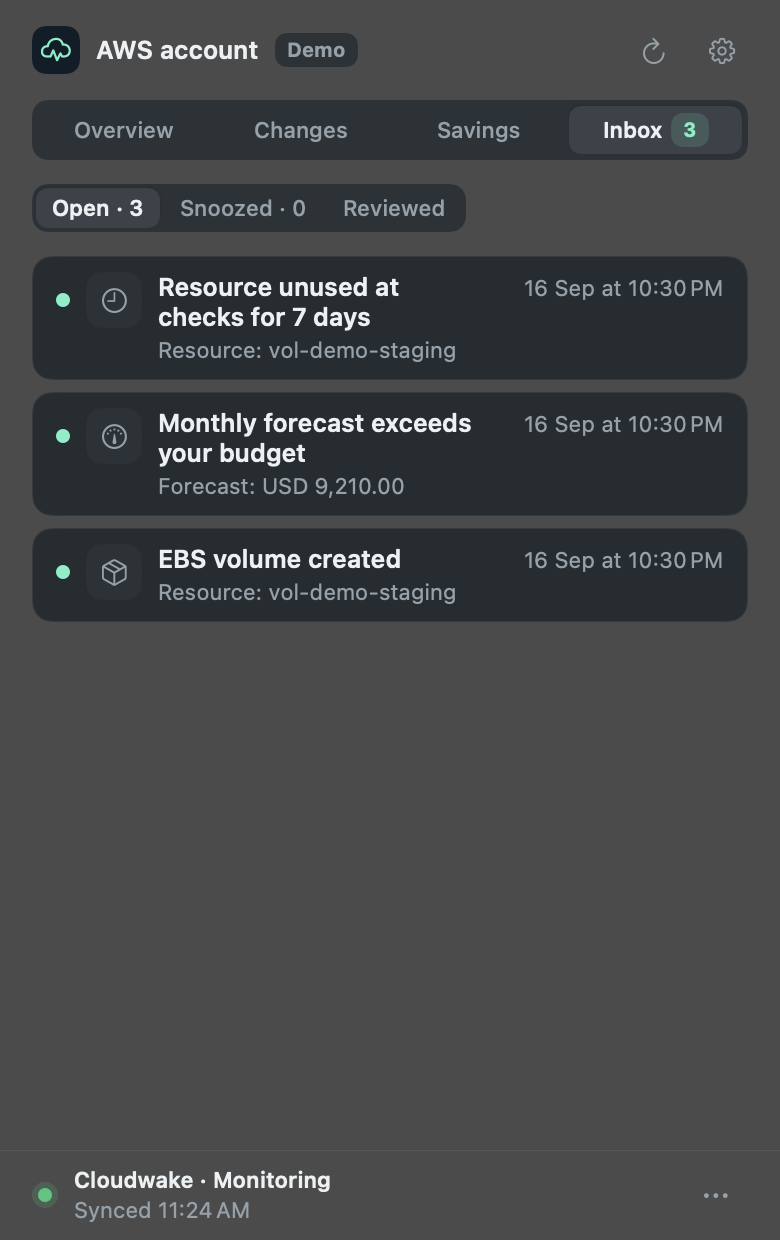
Screens from Cloudwake v1.3.0 on the free plan, with illustrative demo data. AWS billing data is delayed, savings are estimates, and resource activity depends on CloudTrail coverage.
$0
Everything in the menu bar, for one AWS account.
$9 a month per team
Everything in Free, plus:
Secure checkout by Dodo Payments. Paste your license key in Settings → Cloudwake Pro; one key works on up to 10 Macs. Cancel anytime.
Use Homebrew or download the app. Everything it needs to run comes inside.
Setup opens on first launch. Pick a profile or paste credentials. SSO is optional.
Spend, changes and savings show up there. On Pro, add every account you run and connect Slack.
Read the setup guide or the v1.3.0 release notes. AWS API calls and optional cloud monitoring can add to your AWS bill.
Mac asleep? Cloudwake can keep checking from inside your AWS account. Set up always-on monitoring
Yes, with Cloudwake Pro. The free plan monitors one AWS account. If you monitored several before v1.3.0, they keep syncing for 30 days, and accounts that stop syncing keep their last data readable. Add each account using its own AWS profile or pasted credentials, then switch accounts from the menu. Spending, activity, savings and inboxes stay separate. Other accounts keep monitoring, and notification banners identify the account. Local monitoring needs the app open and your Mac awake; optional always-on monitoring is configured separately for each account.
It shows the latest collected Cost Explorer data, from the start of the UTC month through yesterday. AWS billing is delayed and can be revised. Charges before credits, credits, and net balance are shown separately, so a credit does not hide your spending.
Cloudwake reads CloudTrail management events in your configured regions and shows the AWS principal behind each change. When AWS records a deployment role, you see that role. It does not guess which human used it, and coverage is not a guarantee of every resource change.
It tracks repeated observations of unattached EBS volumes and eligible AWS Stop/Delete recommendations. By default, it alerts after seven days of unused observations. It also flags qualifying AWS savings estimates. A resource being old is not enough to call it unused.
Local monitoring needs an awake Mac. With an existing always-on setup, the collector runs in your AWS account, checking activity every five minutes and costs every six hours by default. Alerts stay in your inbox while you are away. Native Mac banners require the app and Mac to be running. New cloud deployments require assisted setup.
Cloudwake observes your monitored infrastructure and offers evidence to review. It does not stop, resize, delete, or purchase resources for you. The optional cloud deployment creates its own monitoring resources and private state in your account.
The download supports Apple silicon Macs running macOS 13+ and includes Python. The app is not Apple-notarized; macOS may ask you to approve it in Privacy & Security. Intel Macs are not currently supported. Cloudwake is free for one AWS account. Cloudwake Pro is $9 a month per team for unlimited accounts, Slack alerts and the Monday digest, and you can cancel anytime from the Dodo customer portal. AWS API calls and optional cloud monitoring can incur AWS charges. AWS is the only supported cloud today.
Your license key is checked with Dodo Payments, which handles checkout. Only the key and a fixed device label are sent, never your AWS data. Slack alerts and the Monday digest go only to the Slack webhook you choose. Cloudwake runs no server of its own.
Make room for what’s worth running.